EG4 18KPV • GridBoss • Local • No Cloud

Know Everything About
Your Solar System

Real-time monitoring for EG4 inverters. Live power flow, battery status, smart port control — all local, no subscription, no cloud dependency.

Order a BossMonitor See It in Action
Local
No cloud required
2s
Live update interval
15
Battery packs monitored
27
Home Assistant entities
$0
Monthly subscription

Everything Your EG4 Deserves

Built by a solar enthusiast for solar enthusiasts. Runs entirely on your local network.

Live Energy Flow

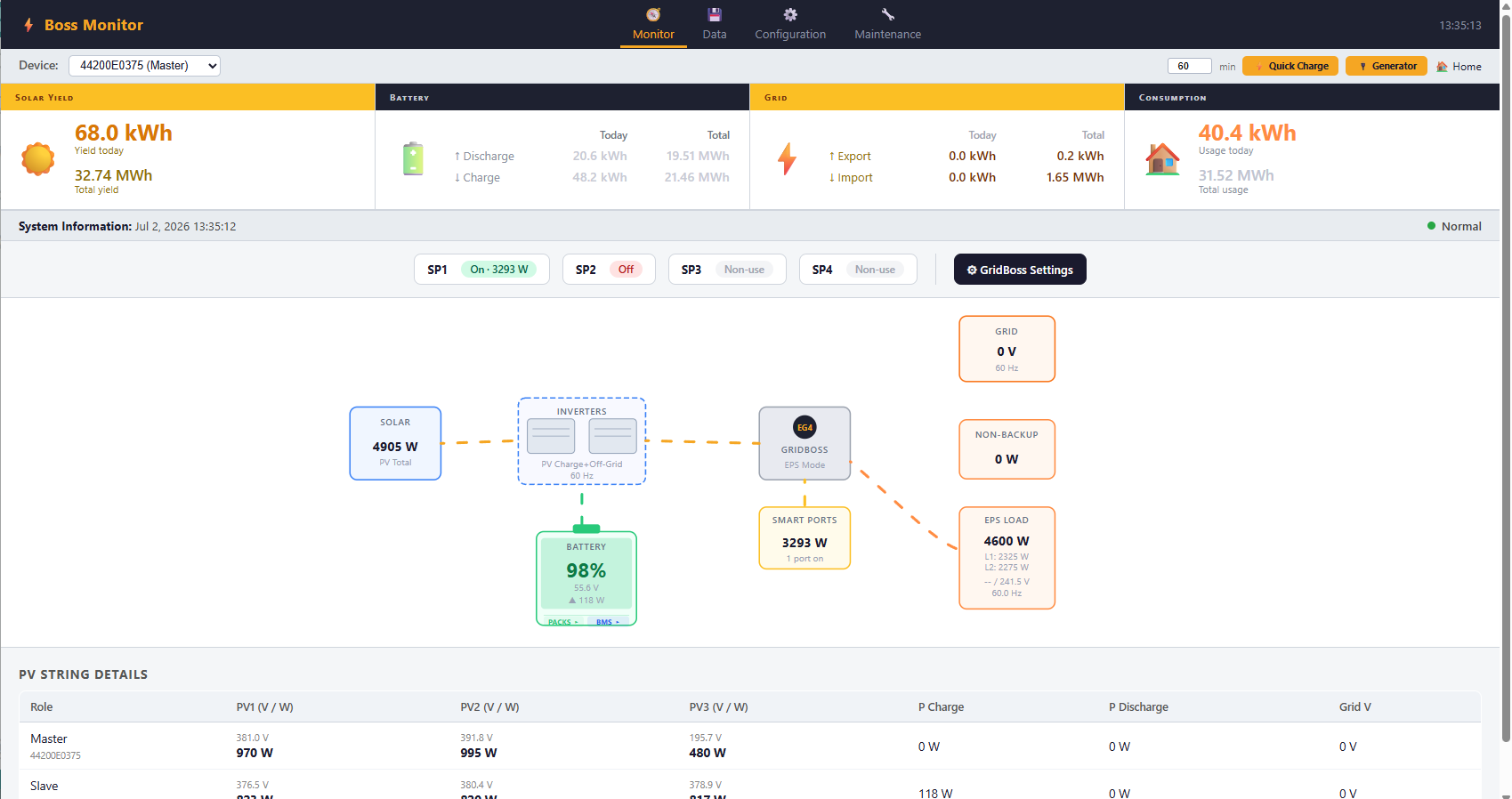
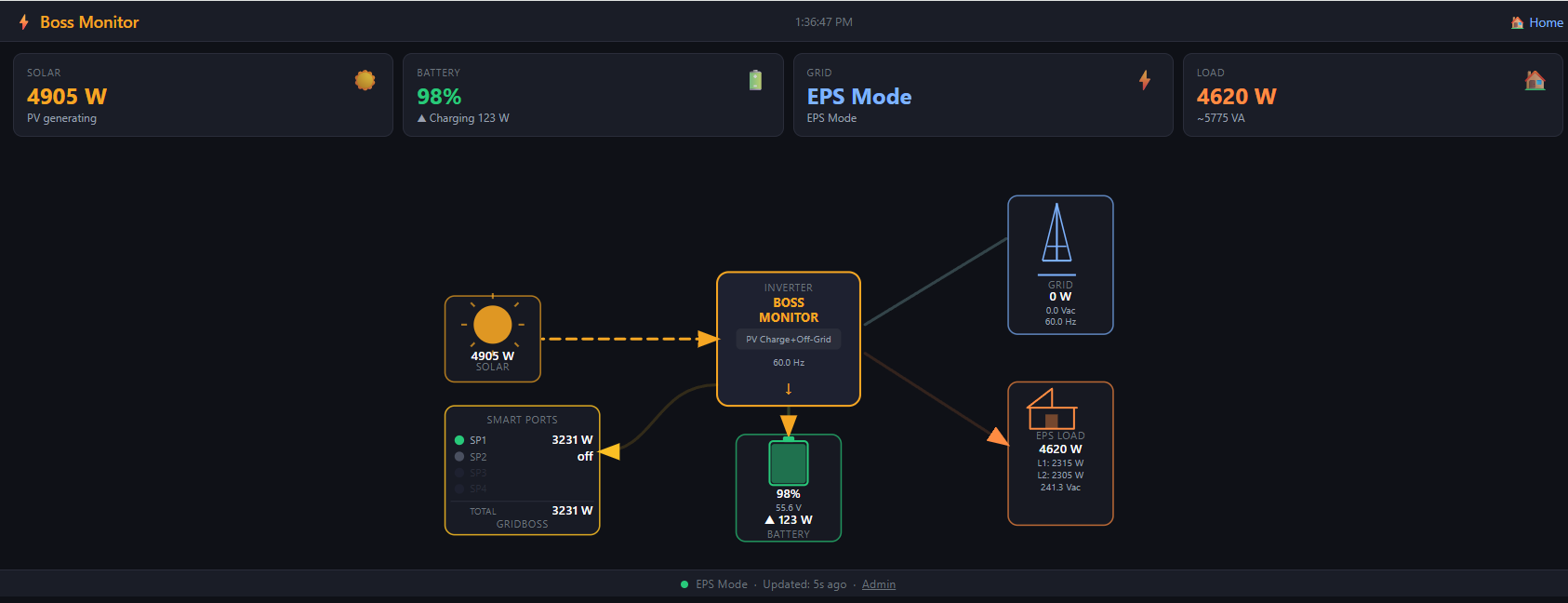
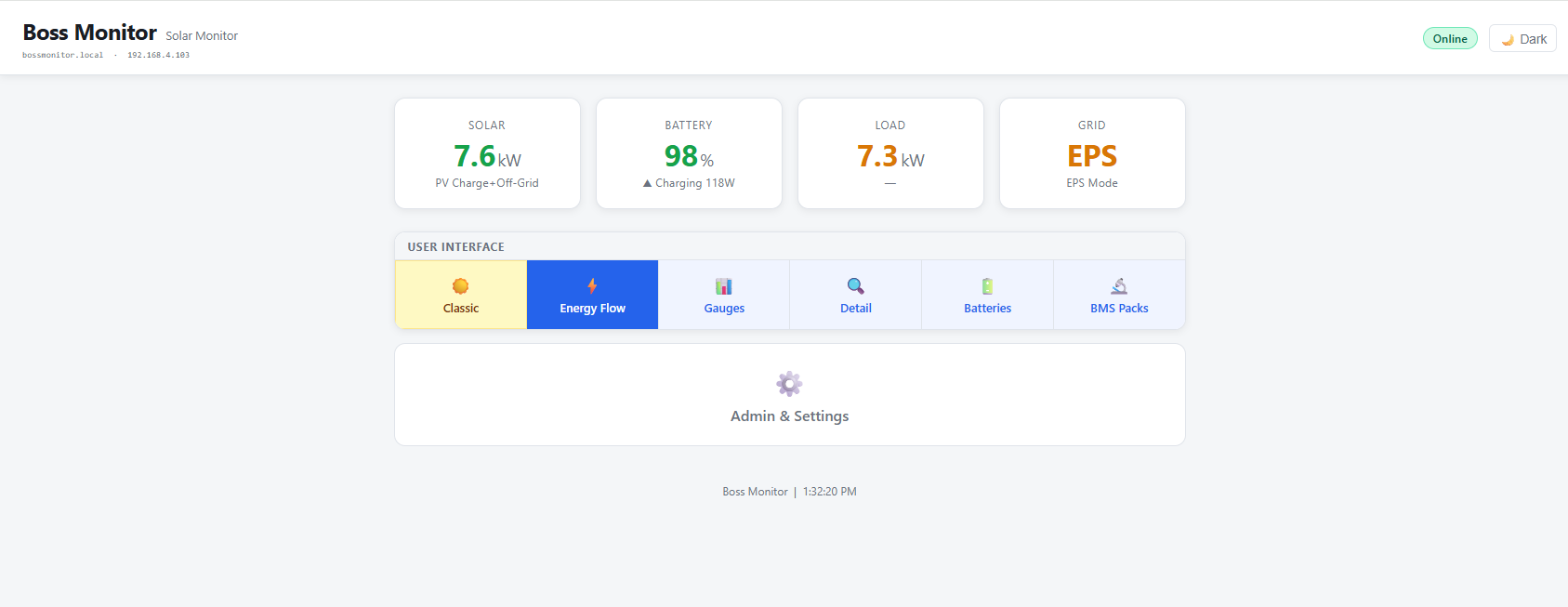
Animated power flow diagram shows solar, battery, grid, EPS loads, and GridBoss smart ports — all updating every 2 seconds.

🔋

Full Battery Visibility

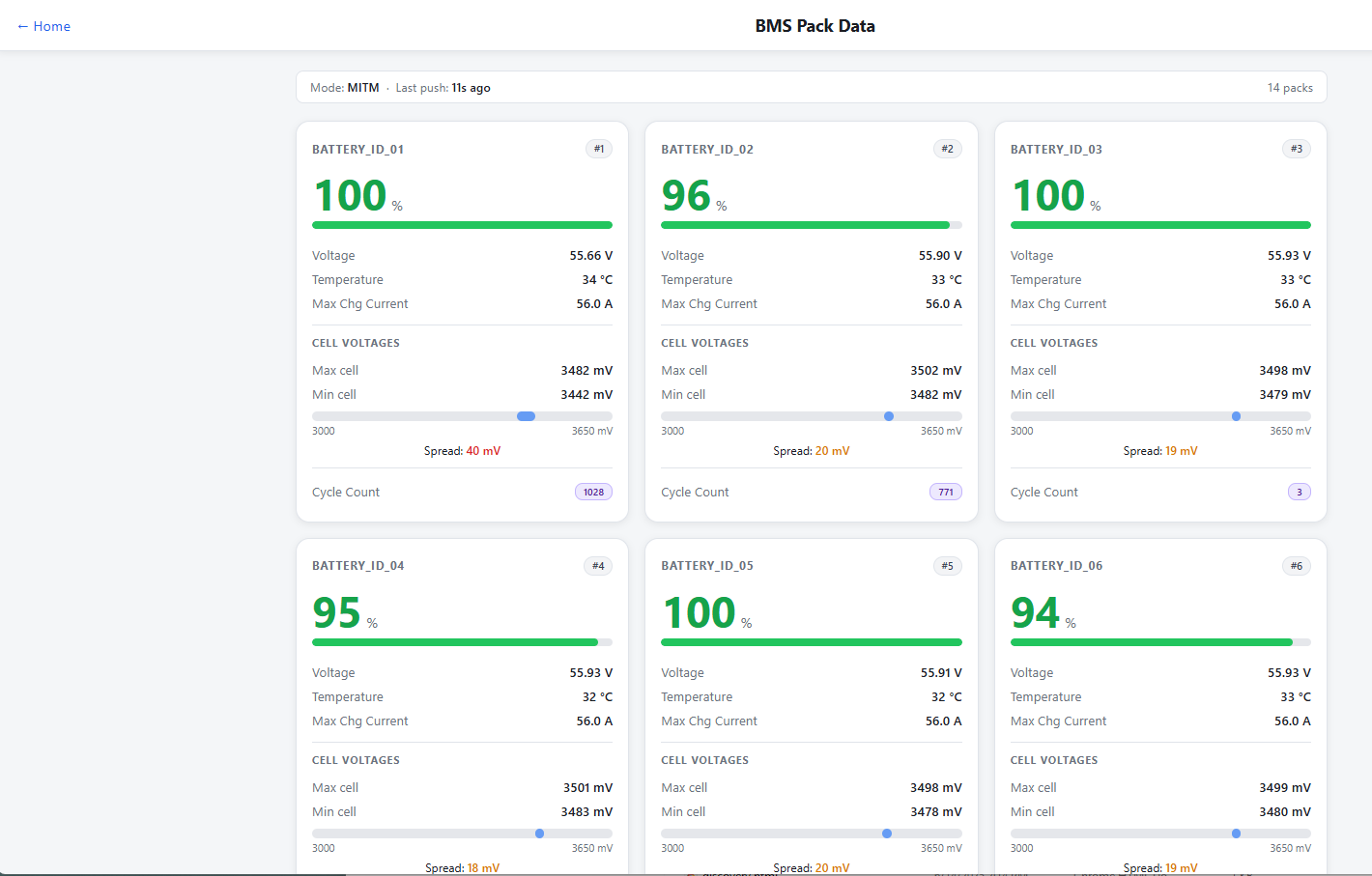
Per-pack BMS data for up to 15 battery packs — voltage, SOC, temperature, cell min/max, cycle count, and alarm flags.

🏠

Home Assistant Ready

27 MQTT entities with auto-discovery. BossMonitor appears in Home Assistant automatically — no manual YAML configuration.

🎛️

GridBoss Control

Monitor live power on all 4 smart ports. Quick Charge, generator control, and AC charge scheduling — right from the web UI.

📊

Data History

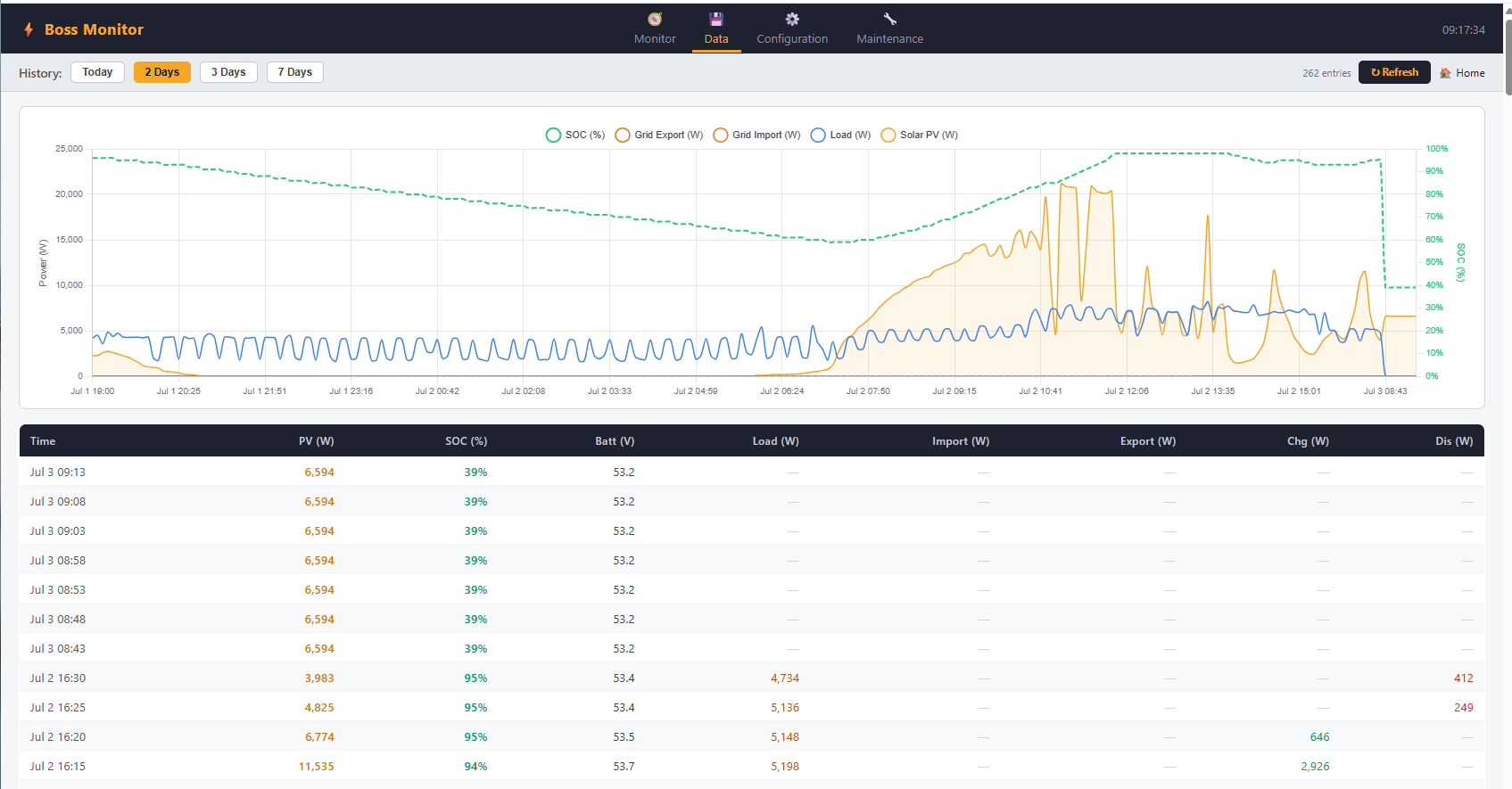
7-day on-device data logging with charts. Solar yield, battery charge/discharge, grid import/export — no external server needed.

🔒

No Cloud Dependency

Works during internet outages. Your monitoring data stays on your local network — no subscriptions, no accounts, no data sharing.

📱

Mobile Friendly

Responsive web UI works on any device — phone, tablet, or desktop. No app to install, just open a browser.

🔄

OTA Updates

Firmware updates delivered over WiFi from the web interface. No cables, no programmer required after initial setup.

🖥️

Multiple Inverters

Monitors Master and Slave inverters simultaneously. Aggregates total PV, battery, and load across your full system.

🔌

RS485 Multi-Device

One RS485 cable connects to your inverter, GridBoss, and battery system simultaneously — no extra wiring or adapters needed.

See It Running

Real Data From a Real System

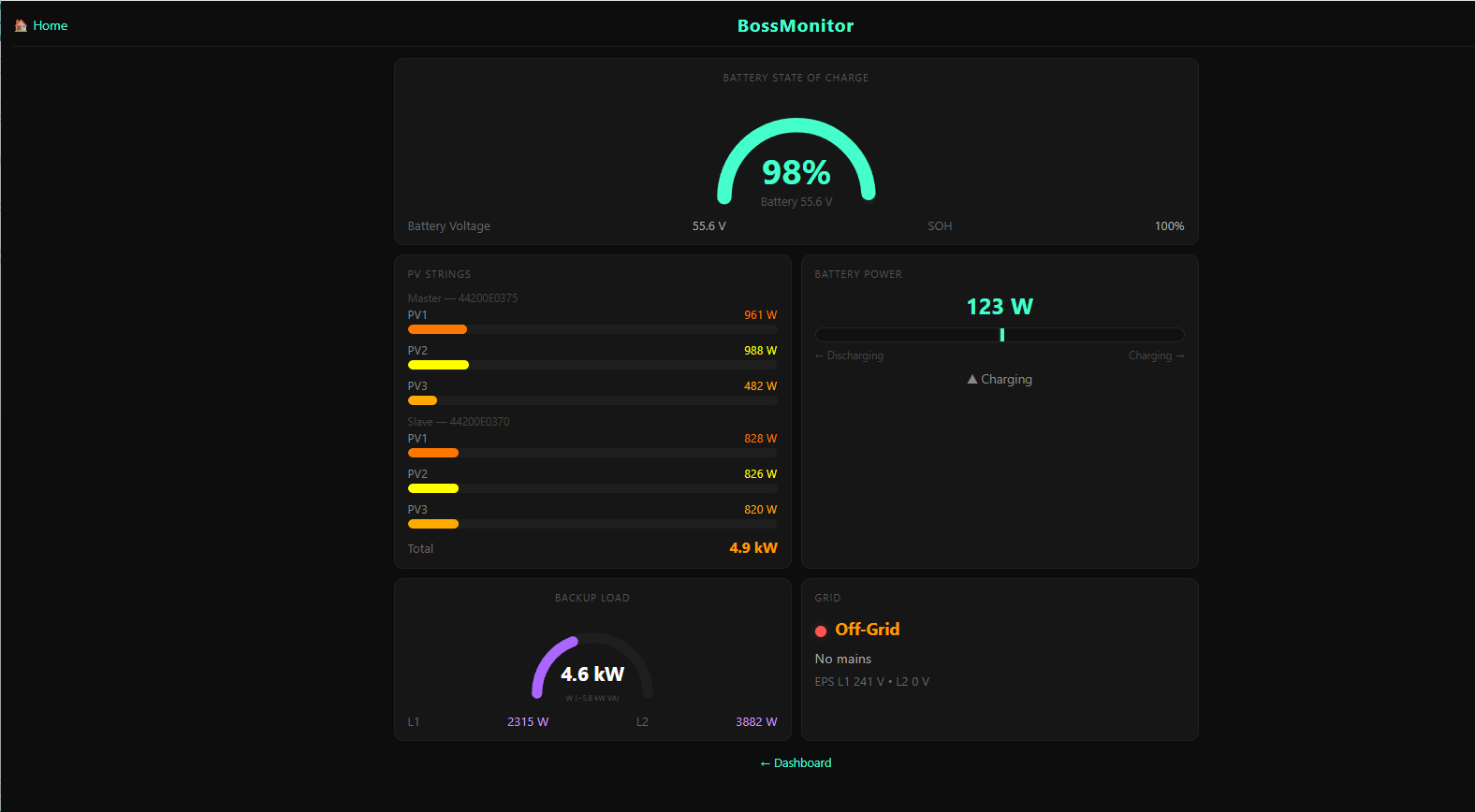
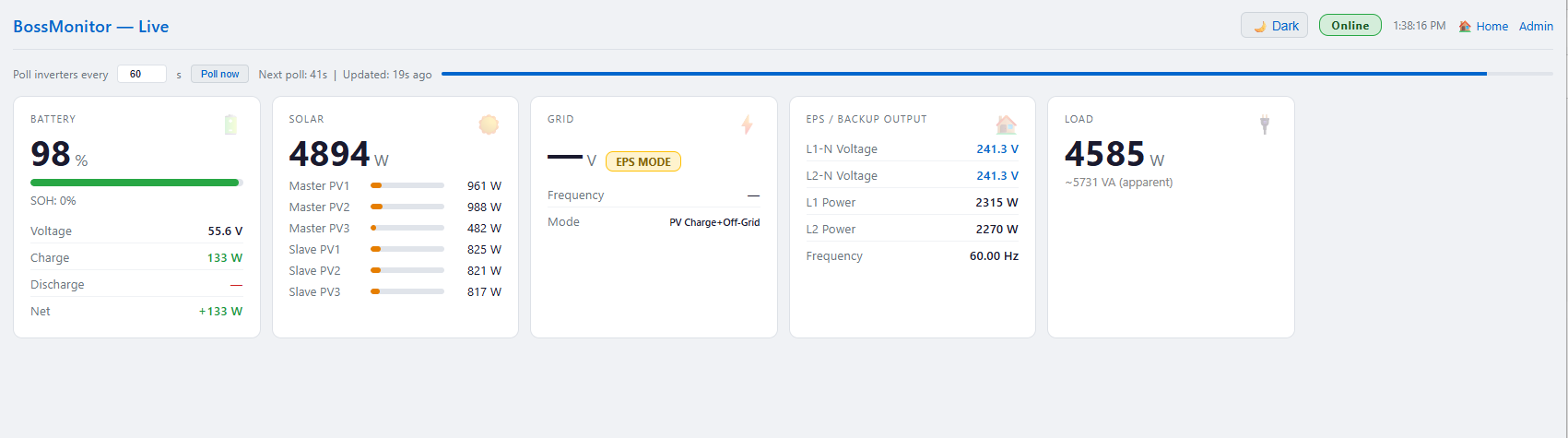
BossMonitor running on a Flexboss21+ GridBoss system with 15 battery packs.
bossmonitor.local
BossMonitor Home page Live Monitor Energy Flow diagram Gauges view Details page Battery BMS data Data History chart

Choose Your BossMonitor

Every unit is hand-built and tested on a real EG4 system before shipping.

BOSSMONITOR BASIC
$49.95
Pre-flashed WiFi monitor. Plugs into your existing network — no wiring required.
  • Pre-flashed & tested firmware
  • Live energy flow web UI
  • GridBoss smart port monitoring
  • Battery pack BMS data
  • Home Assistant / MQTT ready
  • 7-day data history & charts
  • OTA firmware updates
  • Battery backup not included
  • Enclosure not included
Order Basic
PayPal Stripe
BOSSMONITOR DIN RAIL
$149.95
Professional panel-mount unit with direct RS485 and CAN bus connections. Can also operate over WiFi — your choice.
  • DIN rail enclosure — panel ready
  • Direct RS485 to inverter
  • CAN bus for EG4 wall batteries
  • WiFi or RS485 — works either way
  • All Basic features included
  • Complete cloud independence
  • Installer grade reliability
  • Ideal for professional installs
Order DIN Rail
PayPal Stripe
Setup

Up and Running in Minutes

No electrician needed. If you set up your EG4 system, you can set up BossMonitor.

1

Power It Up

Plug BossMonitor into any USB power source near your router or inverter.

2

Connect to WiFi

Join the BossMonitor setup hotspot and enter your home WiFi credentials.

3

Add Your Inverters

Enter the IP addresses of your EG4 WiFi dongles in the device manager.

4

Open the Dashboard

Browse to bossmonitor.local — live data starts flowing immediately.

Compatibility

Works With Your EG4 Setup

Tested on real hardware. More models added as we verify them.

EG4 18KPV GridBoss MIDBOX EG4-LL Batteries EG4 Wall Mount Batteries (CAN — DIN Rail only) Home Assistant via MQTT Master + Slave parallel setup EG4 6000XP (planned) LuxPower inverters (planned)
FAQ

Common Questions

Do I need to pay a monthly subscription?
No. BossMonitor is a one-time purchase. It runs entirely on your local network with no recurring fees, no cloud accounts, and no data leaving your home.
Does it work if my internet goes down?
Yes. BossMonitor communicates directly with your inverter over your local WiFi network. Internet access is only needed for OTA firmware updates and MQTT cloud brokers if you choose to use them.
Will it interfere with my EG4 app?
No. BossMonitor reads data from your inverter without interrupting normal operation. The EG4 app and BossMonitor can run side by side.
What is the difference between Basic and DIN Rail?
The Basic unit uses your existing EG4 WiFi dongles to communicate with the inverter over your home network — no wiring needed. The DIN Rail unit connects directly to the inverter via RS485 cable and supports CAN bus for the newer EG4 wall mount batteries, eliminating the need for WiFi dongles entirely.
What do I need for the battery backup option?
The backup version includes a small USB battery bank that keeps BossMonitor powered during brief outages and ensures the BMS bridge stays active 24/7 — even if the main power briefly drops.
Can I get a firmware update after purchase?
Yes. Firmware updates are delivered over WiFi from the built-in web interface. Updates are provided free of charge.
I have multiple EG4 inverters in parallel. Will it work?
Yes. BossMonitor supports Master and Slave inverters simultaneously, aggregating total solar, battery, and load power across your full system.
About

Built by a Solar Owner

I'm G. Pineau, the creator of BossMonitor. I built this because I wanted better visibility into my own Flexboss21+ GridBoss system — and the existing tools weren't cutting it.

BossMonitor runs on my own system every day. When I ship one to you, it's been tested against real hardware under real conditions — not just a lab bench.

Follow the project on YouTube (DIY-Solar) and Facebook (DIY-SOLAR) where I share everything I learn about solar, storage, and the technology behind BossMonitor.

YouTube Channel Facebook Page
Order

Ready to Order?

Payment via PayPal or credit card through Stripe. Ships within 3-5 business days.

Payment buttons will appear here once Stripe and PayPal are configured.
In the meantime, contact guy@gpineau.com to place an order.